Bringing an older telly back into service
Last looked over: 14 October 2026 · BritCast TV team
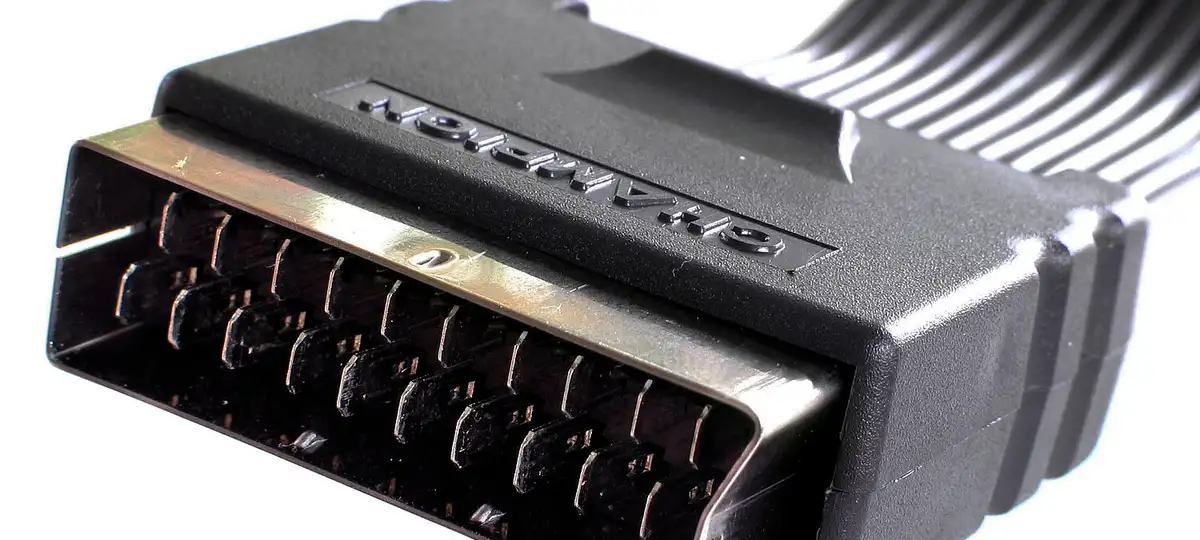

If your television has an HDMI socket, it can take a Fire stick or Google TV Streamer and become a smart TV in minutes. Sets with only SCART sockets, common before about 2008, need an HDMI-to-SCART converter costing around £15 to £25 from electrical shops. Even a chunky CRT can show IPTV, in standard definition.
- HDMI socket: plug in a stick and follow its guide.
- SCART only: add an HDMI-to-SCART converter with its own power supply.
- Set the stick's output to 720p or lower for converter boxes.
1. Check the sockets
Look on the back and sides. A thin socket shaped like a flattened trapezium is HDMI. A wide 21-pin socket is SCART. Some sets have both.
2. HDMI: plug in a stick
Plug a Fire stick or Google TV Streamer into the HDMI socket and its USB power supply into the wall, then follow that guide.
3. SCART only: add a converter
Buy an HDMI-to-SCART converter with its own power supply. Stick into the converter’s HDMI input, SCART lead into the TV, switch the converter to PAL.
4. Set the resolution
On the stick, choose 720p in the display settings. Many converters dislike 1080p and above.
5. Find the right input
Use the TV’s AV or EXT button to select the SCART socket. Black-and-white picture? Try the other SCART socket, or the PAL/NTSC switch.
Expect a soft but perfectly watchable picture, much like the telly looked in 1995. For anything bigger than about 32 inches, a modern set will look far better.